
AI Safety for Employees Starts With Clear Guidance
AI is no longer a future technology. It is part of everyday work for nearly every employee. Teams use AI to write emails, draft proposals, create summaries, and manage tasks. Although the benefits are impressive, the risks grow just as quickly. That is why AI safety for employees must be a top priority for every SMB.
Without rules, your team may upload sensitive information to the wrong tool. They may copy client data into an unsecured chatbot. Or they may rely on inaccurate outputs that expose the business to compliance issues. Yet these risks are easy to reduce with the right structure and clear expectations.
This guide explains how to build a practical, real-world AI safety program that any SMB can adopt. You do not need to be technical. You only need awareness, consistency, and a few simple safeguards.
Why AI Safety for Employees Matters
Technology changes quickly, but human behavior changes slowly. Employees use the tools at their disposal, sometimes without understanding the risks. As AI becomes more accessible, mistakes become more common. These mistakes often lead to data exposure, inaccurate content, or compliance issues.
Even with strong security tools, a single upload can break compliance. Therefore, AI safety for employees is about helping people understand the boundaries and use AI responsibly.
AI Safety for Employees Begins With Data Awareness
Employees need to understand what data they can and cannot place into AI tools. This starts with a clear rule: never upload confidential, regulated, or identifiable customer information into public AI systems.
Train Employees on What “Sensitive Data” Means
Many workers do not recognize sensitive information. They may think a client name, a birthdate, or a contract clause is harmless. Yet these details can create serious risk if exposed.
Provide simple examples such as:
- Medical details
- Financial records
- Personal identifiers
- Internal strategy documents
- Technical configurations
- Passwords and access keys
Creating a short checklist helps employees stop and think before using any AI tool.
Build AI Safety for Employees With Clear Tool Approval
The fastest way to reduce risk is to decide which AI tools are allowed. SMBs should approve tools that meet security and compliance standards. This list does not need to be long, but it must be intentional.
Approved tools might include:
- Microsoft Copilot
- Google Gemini for Workspace
- Business-tier ChatGPT
- Teams and M365 integrated AI features
Avoid tools such as:
- Free consumer AI apps
- Browser extensions that read data
- Unvetted image or document converters
When employees know which tools are safe, they avoid risky alternatives.
AI Safety for Employees Requires Prompt Hygiene
Prompt hygiene is a new skill for modern workers. It teaches employees how to write AI requests without revealing sensitive details.
Good prompt vs bad prompt
Bad:
“Analyze this client contract for security risks. The client is Prestige Dental, and their customer data includes…”
Good:
“Analyze this sample contract template for potential security concerns.”
This small shift protects the business while still allowing employees to use AI effectively.
Add “Human in the Loop” Steps for Safer AI Workflows
AI can draft, summarize, and analyze content. However, employees must verify accuracy. Encouraging a short review process improves outcomes and reduces risk.
Guidelines include:
- Review AI-generated content before sending it
- Validate facts with a reputable source
- Check for missing context
- Simplify or rewrite unclear sections
- Confirm that the content matches the company’s tone
This ensures AI remains a tool—not the decision-maker.
AI Safety for Employees Means Setting Boundaries for Automation
Many AI tools allow workflow automation. While helpful, these automations should never replace approval or oversight.
Safe automation examples:
- Summaries of meeting notes
- Drafting standard templates
- Scheduling reminders
- Organizing documents
Unsafe automation examples:
- Automatically emailing clients
- Auto-approving financial decisions
- Moving confidential files
- Auto-responding to compliance items
Establishing clear limits prevents accidental exposure or incorrect communication.
Draft an Employee AI Safety Policy That Everyone Can Follow
SMBs do not need a large policy. They only need a clear one. A practical policy is short, readable, and easy to reference.
Your policy should include:
- Approved tools
- Data usage rules
- Input restrictions
- Output accuracy guidelines
- Logging expectations
- Compliance considerations
- Examples of good and bad usage
The more accessible the policy, the more employees will follow it.
Use External Resources to Strengthen Employee Awareness
Helpful AI responsibility guidelines:
-
- NIST AI Risk Management Framework (https://www.nist.gov)
- Microsoft Responsible AI Standard (https://www.microsoft.com/ai/responsible-ai)
Both offer clear and practical principles.
Empower Your Team With Safe, Smart AI Adoption
AI can transform how your SMB works. However, you must guide employees to ensure safe, consistent, and responsible use. When you build an AI safety program, you protect your clients, reduce risk, and empower your team to work faster with confidence.
If you need help designing an AI governance plan or training your employees, our MSP team can guide you step by step. Let’s modernize your workplace—safely and effectively.
Latest Blog Posts

Is Your Business Prepared for the Next Cyber Disruption?
Cyber Threats Are No Longer Just an Enterprise Problem Next cyber disruption preparedness has become a [...]
What Most Business Owners Get Wrong About IT Support (And Why It Slows Growth)
IT Support Quietly Shapes How Fast Your Business Can Grow IT support slows growth when [...]
Quarterly IT Checklist SMBs Should Review in 2026
Quarterly IT Checklist SMBs Need to Stay in Control A quarterly IT checklist SMBs can [...]
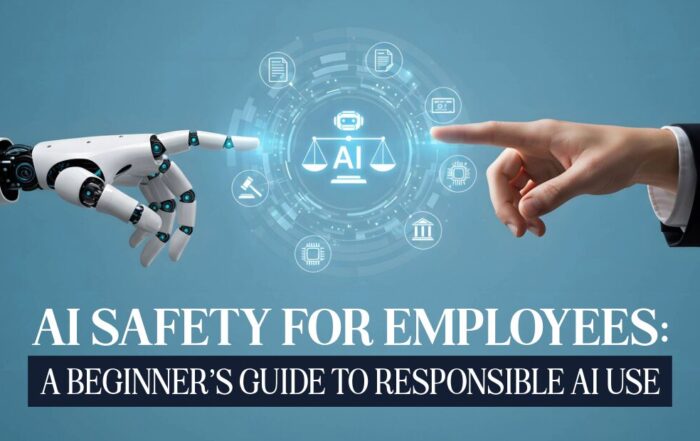
AI Safety for Employees: A Beginner’s Guide to Responsible AI Use
AI Safety for Employees Starts With Clear Guidance AI is no longer a future technology. [...]
5 Real AI Use Cases for Small Medical, Legal, and Accounting Firms
SMB AI Use Cases Are Transforming Professional Service Firms Small professional service firms face pressure [...]
How to Create a Business Continuity Plan That Works
Introduction Every business faces unexpected disruptions — from power outages and cyberattacks to natural disasters. [...]