

Watch Out!!! Colorado Springs Business Professional Almost Fell For Fake Docusign Email
Navigating the digital landscape requires vigilance, especially when dealing with documents that request personal information. Recently, a scenario unfolded where a seemingly harmless action—clicking on a link to what appeared to be a DocuSign document—could have compromised a client’s security. Fortunately, the individual recognized the signs of a phishing attempt and refrained from providing any sensitive details, opting instead to report the incident. This occurrence underscores the importance of scrutinizing emails that bypass spam filters and purport to be something they are not.
If you’re unsure about the legitimacy of a document or link received via email, checking the sender’s address thoroughly before engaging is critical. Quick actions can prevent potential breaches, emphasizing the need for heightened awareness in our interconnected environment. Resources are available to help protect against these illicit schemes for those looking for assistance in fortifying their online security practices or seeking advice on responding to suspicious digital communications.
Key Takeaways
- Verify the authenticity of any email requesting personal information.
- Immediately report suspected phishing attempts to a service desk or IT support.
- Seek professional support to strengthen your network’s security.
Guidance for Identifying Illegitimate Electronic Signatures
Identifying Deceptive Electronic Signature Requests
Be diligent when handling electronic signature requests. Phony requests can bypass spam filters and appear legitimate. Check the sender’s email address carefully to confirm its authenticity. Be skeptical of any document that prompts you for personal information, as this is a common tactic fraudsters use.
Steps to Take if You Suspect Fraud
If you encounter a suspicious document, do not provide any personal information. Instead, immediately halt the process and report the incident to your IT service team for further investigation. Their expertise can help determine the request’s legitimacy and ensure your safety.
Strategies to Shield Yourself from Phishing Attempts
Protecting yourself against deceptive activities calls for proactive measures:
- Keep your network security updated to fend off malicious attacks.
- Educate yourself on the hallmarks of fraudulent communications.
- Always verify the source before interacting with any document that requests your signature.
For detailed support and to bolster your network’s defenses, visit http://www.coloradosupport.com. You can also contact us for a consultation to discuss the security measures in place and how you can enhance the protection of your business network.
Guidance and Aid
Reaching Out for Assistance
If an email has raised your suspicions, promptly bring it to the attention of our support team for a thorough investigation. In a recent incident, a seemingly authentic contract request, masquerading as a DocuSign invitation, was wisely recognized as untrustworthy because it solicited personal information. Take these steps to ensure your safety:
- Verify Sender Information: Before engaging with any document requests, pay close attention to the email address from which they originate.
- Report Suspicions: If you sense anything unusual, halt all interaction with the email and contact our team immediately.
Our support channel is accessible at, or you can engage in a live conversation to discuss protective measures for your digital environments.
Shielding Your Network
To safeguard your business against digital threats:
- Stay Informed: Keep up with security practices as we encounter various threats.
- Consultation: Don’t hesitate to discuss your current security measures. Stay proactive and reach out for a consultation to strengthen your defenses.
Discover more about our protection services online, and let us assist in fortifying your network against the tactics of cyber adversaries.
Latest Blog Posts

SaaS sprawl SMB risks are quietly draining your business
SaaS sprawl SMB risks are not always obvious at first. However, they grow fast and [...]
Is Your Business Prepared for the Next Cyber Disruption?
Cyber Threats Are No Longer Just an Enterprise Problem Next cyber disruption preparedness has become a [...]
What Most Business Owners Get Wrong About IT Support (And Why It Slows Growth)
IT Support Quietly Shapes How Fast Your Business Can Grow IT support slows growth when [...]
Quarterly IT Checklist SMBs Should Review in 2026
Quarterly IT Checklist SMBs Need to Stay in Control A quarterly IT checklist SMBs can [...]
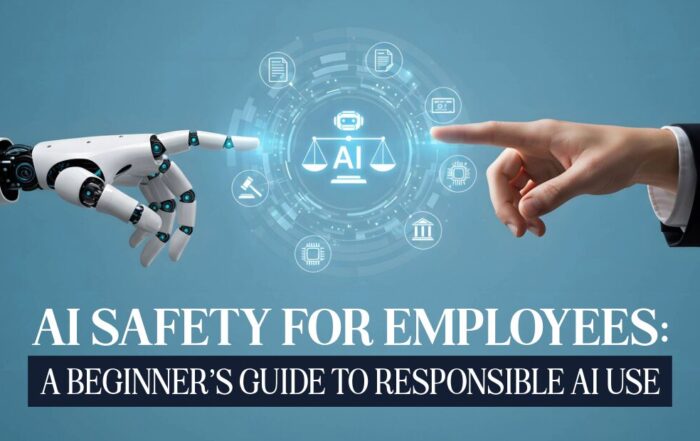
AI Safety for Employees: A Beginner’s Guide to Responsible AI Use
AI Safety for Employees Starts With Clear Guidance AI is no longer a future technology. [...]

5 Real AI Use Cases for Small Medical, Legal, and Accounting Firms
SMB AI Use Cases Are Transforming Professional Service Firms Small professional service firms face pressure [...]